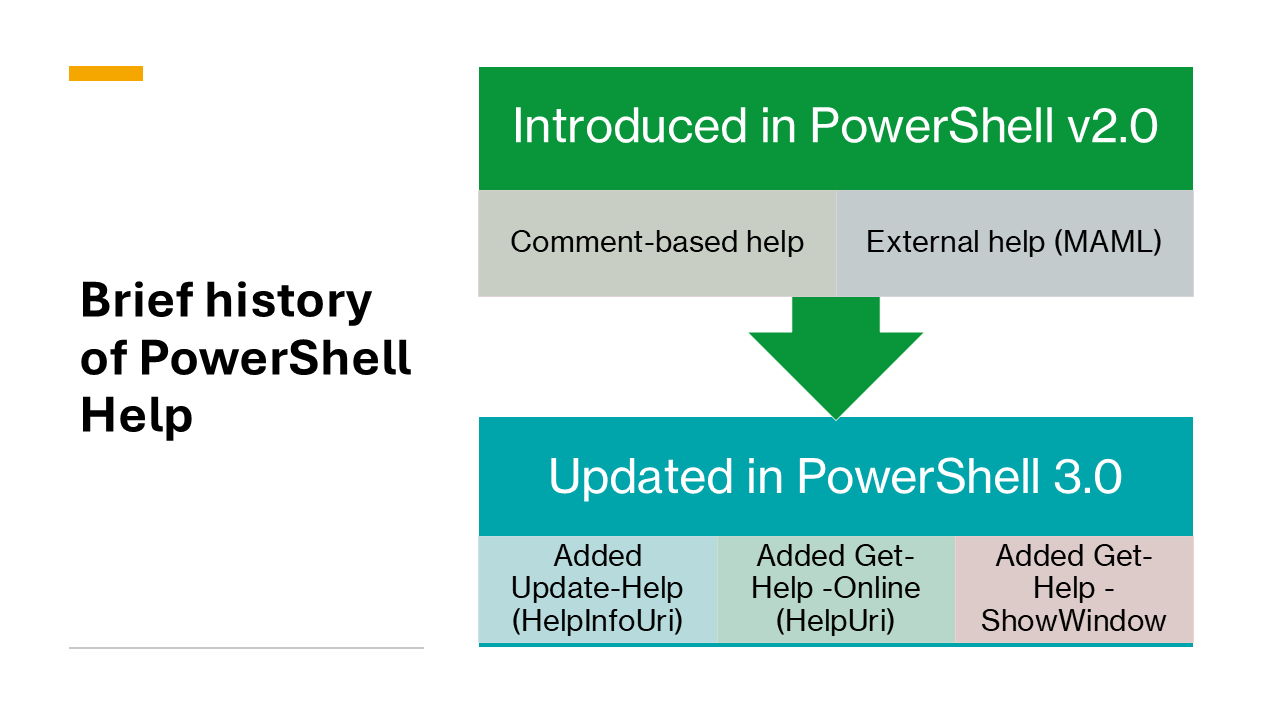
The Help system for PowerShell was introduced in Windows PowerShell v2.0. The Help system is similar to man pages in Unix. It was designed to provide a consistent way to access help for cmdlets, functions, and scripts in the console.
Windows PowerShell 3.0 added new features to the Help system:
Update-Help(enabled by HelpInfoUri) - Downloads and installs the latest help content from the MicrosoftGet-Help -Online(enabled by HelpUri) - Opens the online version of the help content in the default web browserGet-Help -ShowWindow- Opens the help content in a separate GUI interface
Sources of help
PowerShell can display help content from three different sources:
- .NET reflection
- Comment-based help
- MAML-based help
The sources are listed in order of precedence. Comment-based help overrides .NET reflection. MAML-based help overrides both .NET reflection and comment-based help.
.NET reflection
Using .NET Reflection, PowerShell can extract information about the command syntax, parameters, and return values for cmdlets, scripts, and functions. This is the help content displayed when no other help content is available.
Comment-based help for scripts
For functions in script-based modules and script files, PowerShell can extract help content from specially formatted comments.
For more information see about Comment Based Help.

MAML-based help
The PowerShell help system can display help content stored in XML file using the Microsoft Assistance Markup Language (MAML) schema. These XML files can be included in a module or installed and updated after the module is installed. This is the only way to provide documentation for cmdlets in a compiled module.
The MAML format is very flexible and allows you to provide examples and detailed information about the commands in your module. However, constructing the XML content by hand is difficult and error-prone.
Help object model
Regardless of the source of help, the Get-Help command returns a MamlCommandHelpInfo object that
contains the help content for a command. The MamlCommandHelpInfo object has properties that
correspond to the different sections of the help content, such as Synopsis, Description,
Parameters, and Examples.
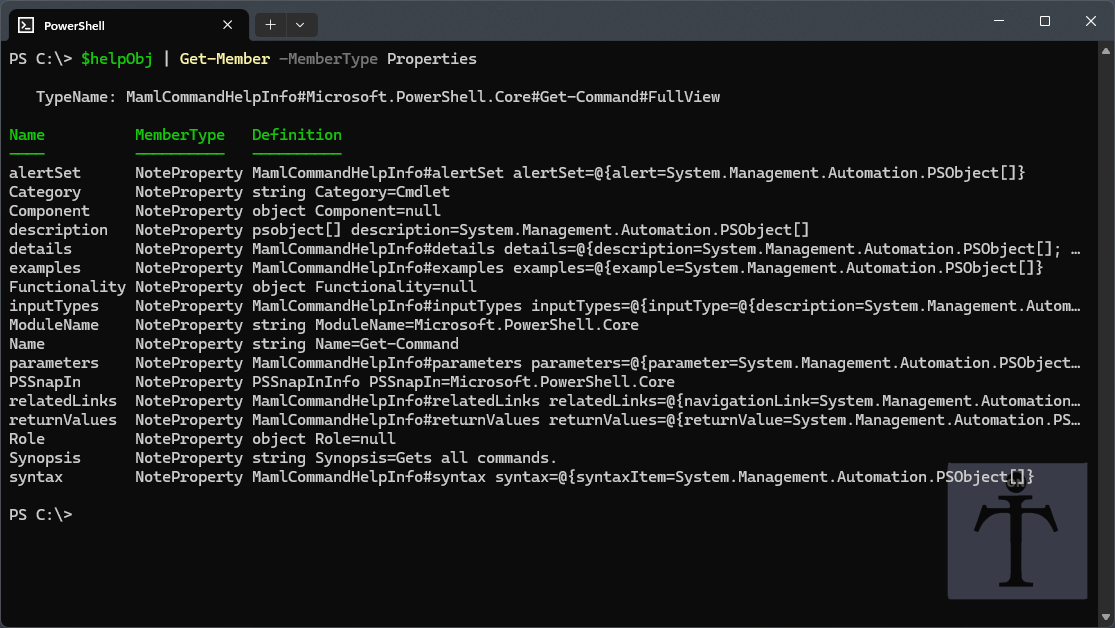
The PowerShell formatting system uses the properties of the MamlCommandHelpInfo object to display
the help content in the console.
Limitations
The PowerShell help system has some limitations:
The help system doesn’t use all the features of the MAML schema. The MAML schema defines elements for formatting and other data types that are not used in the PowerShell help system.
The object model doesn’t accurately represent the properties of parameters and parameter sets. For example, it’s possible for a parameter to be mandatory in one parameter set and optional in another, but the
MamlCommandHelpInfoobject doesn’t have a way to represent this.The object model for examples doesn’t allow for complex, multi-step examples.
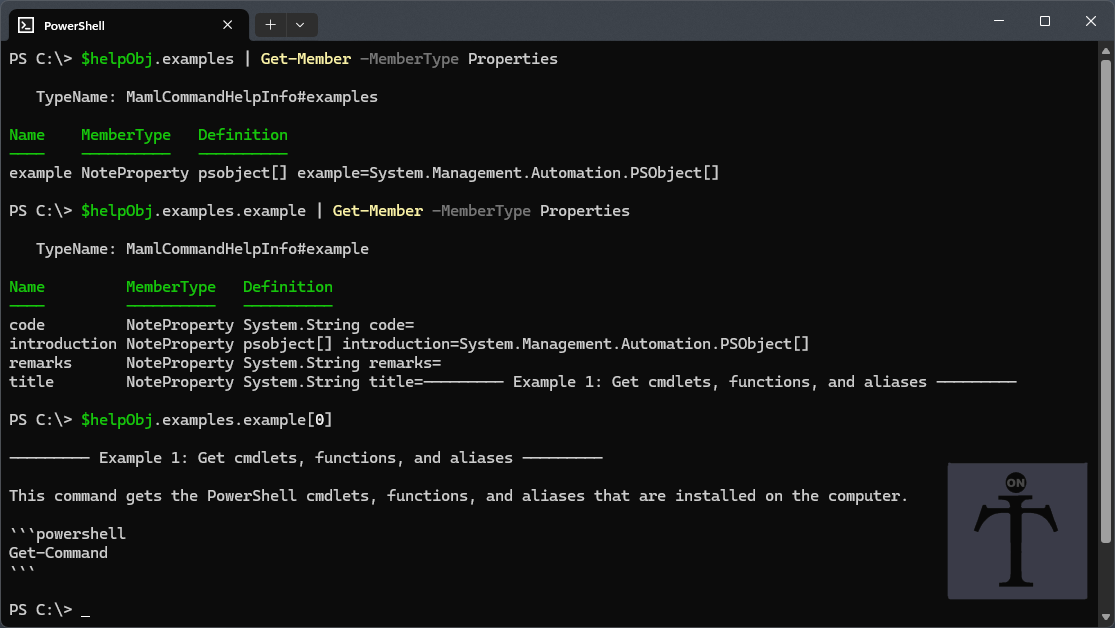
The help system displays the properties of the example object in a specific order:
title,introduction,code, andremarks. There is no way to interleave descriptive text between code blocks in the example. This can make it difficult to create examples that require multiple steps or that need to explain the context of the code.